Cut the subject out of a photo in one tap.
See it The result

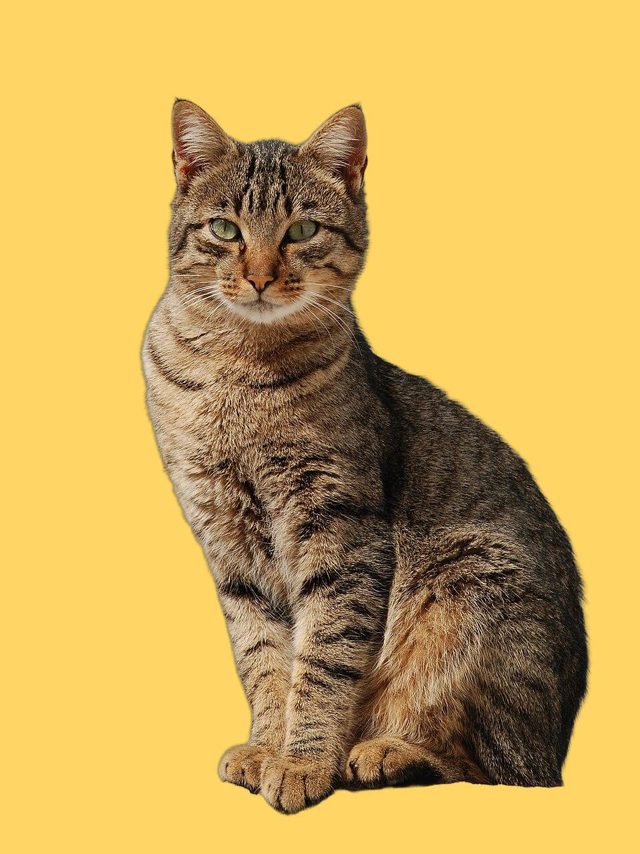 BeforeAfter
The slider shows what a cut-out looks like, made with the open-source tool rembg 2.0.85 on 14 Oct 2026. We haven't tested Apple's feature or any consumer app ourselves yet. Photo: 'Cat November 2010-1a' by Alvesgaspar, CC BY-SA 3.0 (modified).
2 steps Try it yourself
Tip No prompt needed
(No prompt needed. This is a tap-by-tap trick, not a chatbot one.)
Stuck? Where to paste, and what to expect
Where to paste or upload
In the Photos app, with the photo open full screen. Hold your finger on the person, pet or object itself, not the background.
What success looks like
A glowing outline appears around the subject, and a menu offers Copy, Add Sticker and Share. Pasted into Notes, the subject sits on a transparent or plain background.
If it goes wrong
No outline? Your iPhone may be too old, or the subject isn't clear: try a photo with one obvious subject. On Android or desktop, search your Gallery or Google Photos for a background-remover tool; we haven't tested those.
Heads up Limits & privacy
Works on a clear main subject (a person, pet or object), not “anything”. Fine details like hair and whiskers get soft edges (see our example). Don't upload other people's photos to web tools without permission.
Privacy tips: what to remove from bills, CVs and photos first
Proof Test record
Test status: 🔬 Tech tested · app test pending
The slider shows what a cut-out looks like, made with the open-source tool rembg 2.0.85 on 14 Oct 2026. We haven't tested Apple's feature or any consumer app ourselves yet. Photo: 'Cat November 2010-1a' by Alvesgaspar, CC BY-SA 3.0 (modified). Not yet tested by us in this app. Instructions are based on the tool's documented features; a scripted test is queued (see the test record).
Read the full test record: exact prompt, inputs, raw output, failures and test code →
This didn't work for me
Tell us what happened. We'll re-test, fix the page, or mark it as broken, and note the date.